Best 5 Dynamic Application Security Testing (DAST) Software products
What is Dynamic Application Security Testing (DAST) Software?
DAST software tests applications from the outside while they're running to find security weaknesses. It simulates attacks on live apps to identify vulnerabilities like SQL injection, cross-site scripting, and other runtime flaws without accessing the source code.
What are the top 10 Security Software products for Dynamic Application Security Testing (DAST) Software?
Newest Dynamic Application Security Testing (DAST) Software Products

Dynamic Application Security Testing (DAST) Software Core Features
- Performs black-box testing
- Detects runtime vulnerabilities
- Simulates real-world attacks
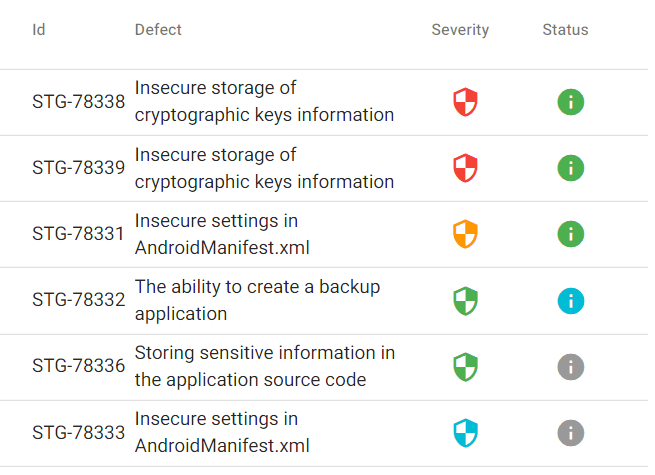
- Provides detailed vulnerability reports
- Supports automated and scheduled scans
Advantages of Dynamic Application Security Testing (DAST) Software?
- Finds real-time exploitable vulnerabilities
- Works without source code access
- Mimics attacker behavior
- Can be automated for continuous testing
- Helps prioritize fixing issues based on impact
Who is suitable to use Dynamic Application Security Testing (DAST) Software?
Security testers, QA engineers, Developers, Organizations needing ongoing app security validation
How does Dynamic Application Security Testing (DAST) Software work?
DAST tools interact with a running application by sending inputs and analyzing responses to identify security gaps. They don’t require source code access; instead, they look for flaws in how the app handles data and user inputs under attack-like conditions. This helps catch vulnerabilities that only show up during execution.
FAQ about Dynamic Application Security Testing (DAST) Software?
Is DAST better than static testing?
Both have their place. DAST finds vulnerabilities during runtime, while static testing analyzes code. Using both is best for solid coverage.
Can DAST test APIs?
Yep, many DAST tools support API testing to find security flaws in API endpoints.
Does DAST slow down my application?
During scans, you might see some performance impact, but it’s usually temporary and controlled.
Do I need source code for DAST?
Nope, DAST works by testing the app externally without needing source code.
How often should I run DAST scans?
Best practice is to run scans regularly, especially after new deployments or updates.