Best 2 Earthworks Software products
What is Earthworks Software?
Earthworks Software is used to plan, design, and manage excavation and grading projects. It helps construction teams calculate volumes of soil movement and optimize earthmoving processes.
What are the top 10 Vertical Industry Software products for Earthworks Software?
Newest Earthworks Software Products
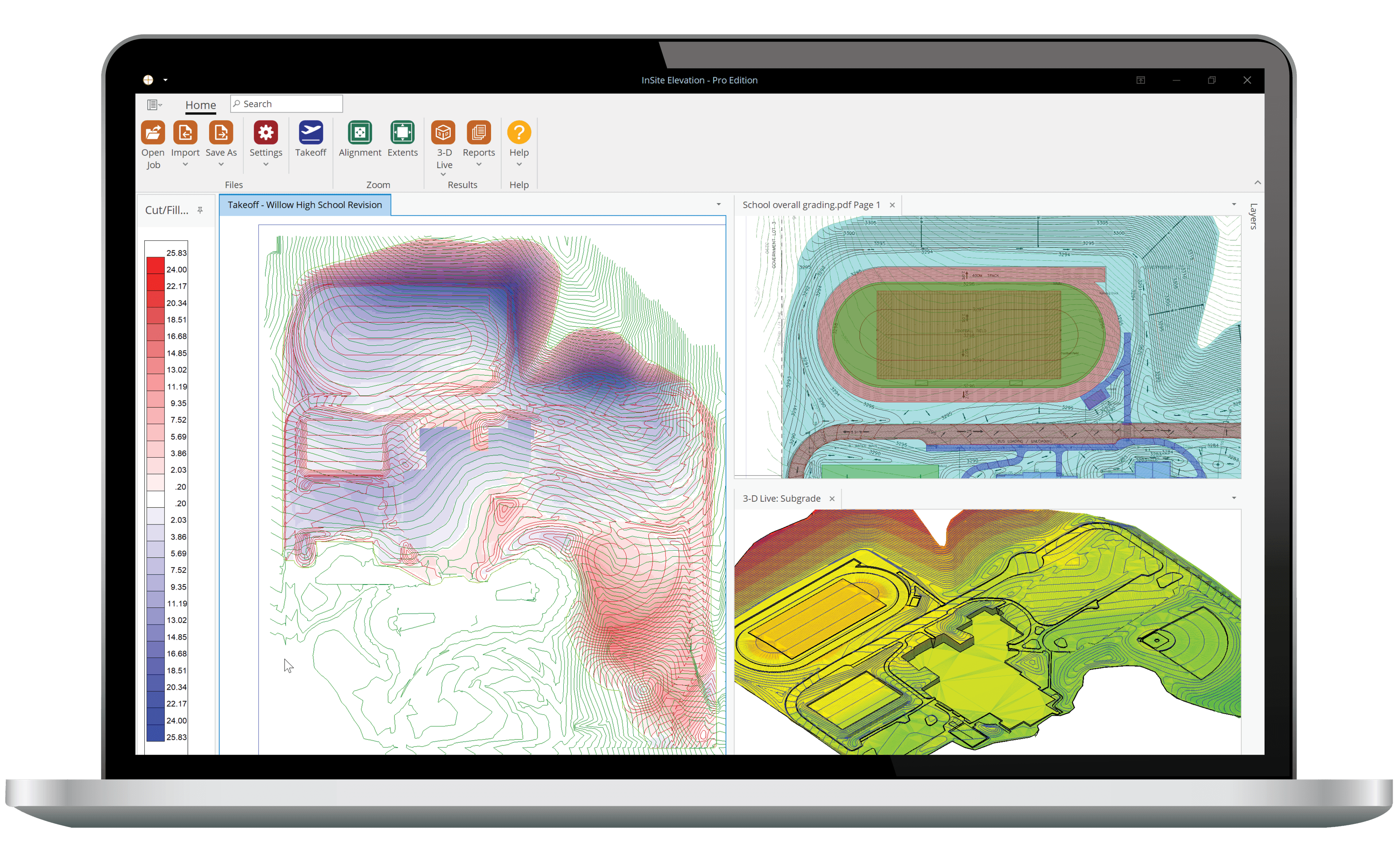
Earthworks Software Core Features
- 3D terrain modeling
- Cut and fill calculations
- Equipment productivity tracking
- Project scheduling and cost estimation
- Integration with GPS and machinery
Advantages of Earthworks Software?
- Improves accuracy of earth volume calculations
- Reduces project costs by optimizing equipment use
- Enhances project planning efficiency
- Minimizes environmental impact
- Helps avoid costly rework
Who is suitable to use Earthworks Software?
Civil engineers, contractors, and construction managers working on site grading, road building, landscaping, and excavation projects.
How does Earthworks Software work?
Users create digital terrain models or import survey data, then set design parameters for grading or excavation. The software calculates how much soil needs to be moved and creates optimized plans. It can also track equipment usage and progress in real-time.
FAQ about Earthworks Software?
Do I need special hardware for Earthworks Software?
Mostly no, but using GPS-enabled machinery can enhance accuracy and integration.
Can the software generate reports for regulatory compliance?
Yes, detailed reports and documentation features are usually included.
Is it easy to update plans if site conditions change?
Most programs allow quick revisions based on new data or changes onsite.
Can Earthworks Software help reduce project timelines?
By optimizing equipment and workflow, it definitely helps speed things up.
Does it support collaboration among teams?
Yeah, many offer cloud-based features so teams can share data and updates.