Best 38 OCR Software products
What is OCR Software?
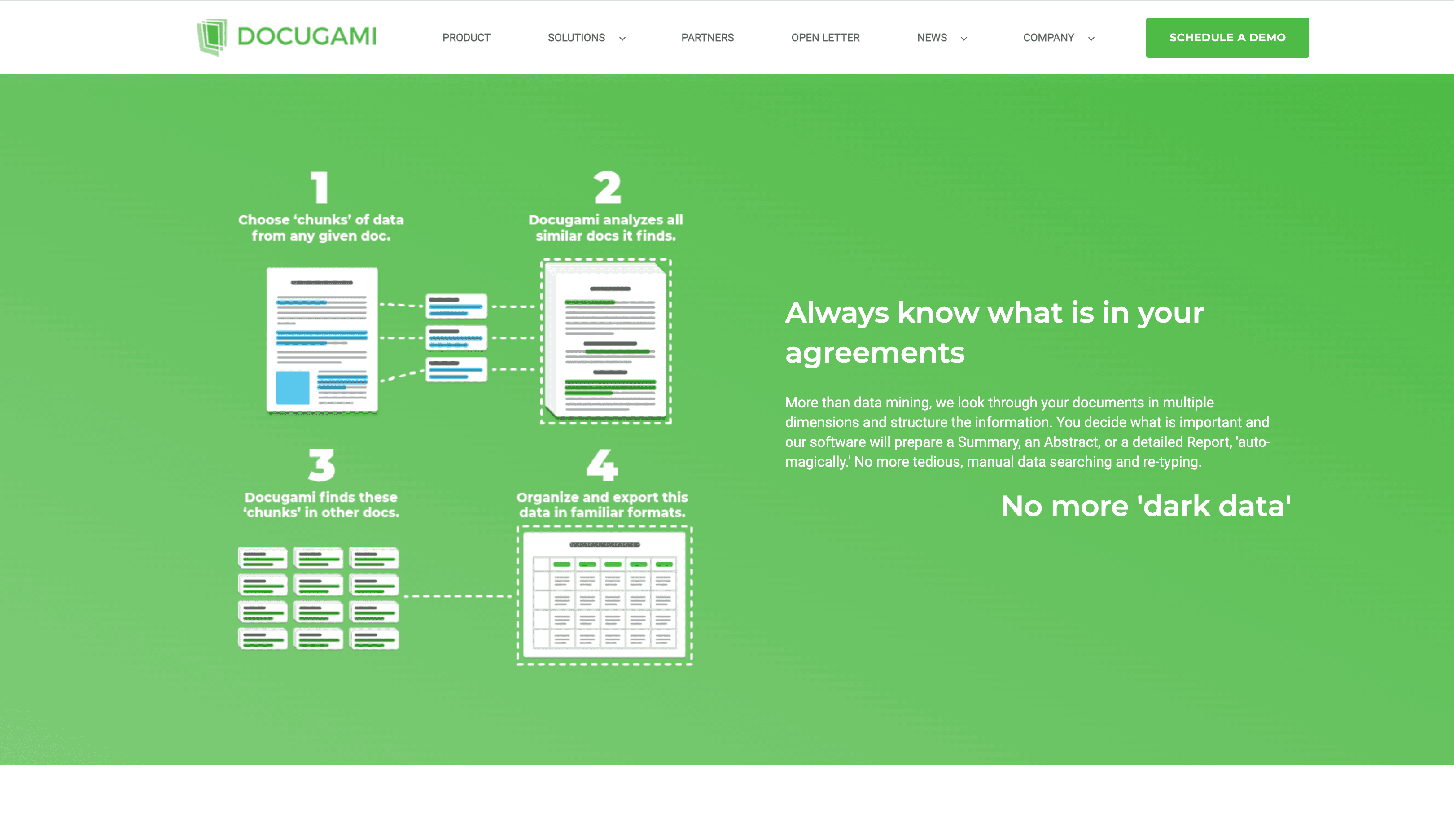
OCR (Optical Character Recognition) Software converts images of text, like scanned documents or photos, into editable and searchable digital text. It’s a huge time saver when dealing with paper documents or non-editable files.
What are the top 10 Content Management Systems products for OCR Software?
Newest OCR Software Products
OCR Software Core Features
- Supports multiple languages
- Converts scanned PDFs and images
- Recognizes handwriting and printed text
- Offers batch processing
- Integrates with document management systems
Advantages of OCR Software?
- Saves manual typing effort
- Improves document searchability
- Enables digital archiving
- Supports multiple file formats
- Enhances workflow efficiency
Who is suitable to use OCR Software?
Ideal for businesses, researchers, librarians, and anyone needing to digitize tons of printed or handwritten info quickly.
How does OCR Software work?
You upload an image or scanned document to the OCR software, which then uses AI and pattern recognition to identify characters and words. The text gets extracted and formatted, allowing you to edit, search, or store it digitally.
FAQ about OCR Software?
Can OCR software handle handwritten notes?
Some advanced OCR tools can read handwriting, but accuracy varies.
Is OCR accurate with poor quality scans?
Accuracy drops with low-quality images, so good scans work best.
What file types can OCR software process?
Usually images like JPG, PNG, TIFF and PDFs.
Can OCR convert text from multiple languages?
Yes, many tools support dozens of languages.
Does OCR software preserve formatting?
Basic formatting is usually kept, but complex layouts might need manual fixes.