Best 2 Remote Video Support Software products
What is Remote Video Support Software?
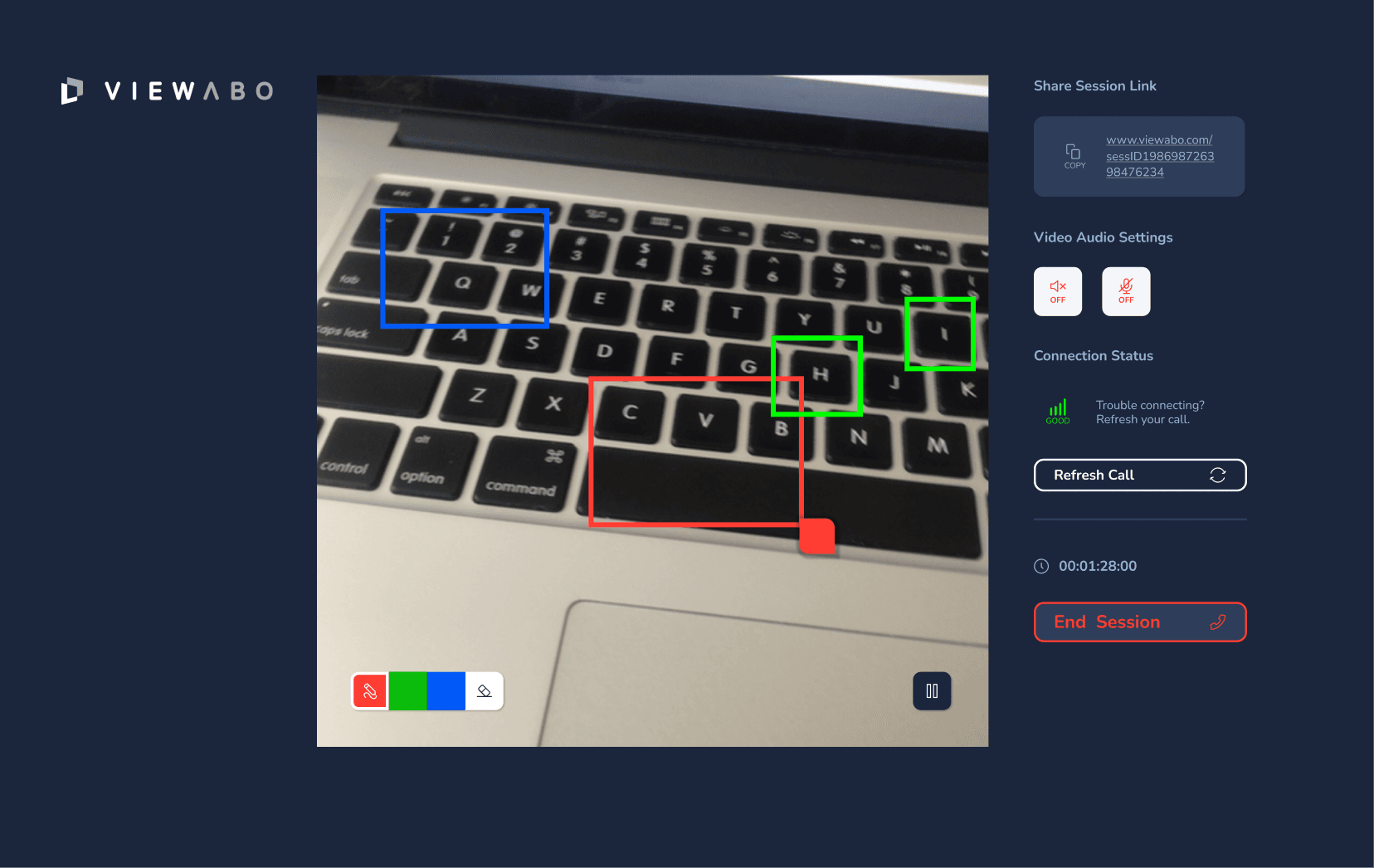
Remote Video Support Software enables businesses to assist customers or clients via live video sessions. It allows support agents to see and guide users through problems in real-time, offering a more interactive and personal support experience.
What are the top 10 Customer Service Software products for Remote Video Support Software?
Newest Remote Video Support Software Products
Remote Video Support Software Core Features
- Live video chat
- Screen sharing
- Remote control capabilities
- Session recording
- Multi-device support
Advantages of Remote Video Support Software?
- Speeds up problem resolution
- Enhances customer satisfaction
- Reduces need for on-site visits
- Allows more precise troubleshooting
- Builds stronger customer relationships
Who is suitable to use Remote Video Support Software?
Tech support teams, Field service companies, Healthcare providers, Training and onboarding departments, Any business needing real-time visual support
How does Remote Video Support Software work?
Customers connect with support agents through a video call using the software. Agents can view the issue firsthand and guide the customer live, sometimes even taking control of the device or showing visuals to resolve problems quickly.
FAQ about Remote Video Support Software?
Do customers need special equipment to use remote video support?
Usually just a device with a camera and internet; no special gear required.
Can agents control the customer's device remotely?
In many solutions, yes, with permission, agents can take control to fix issues directly.
Is the video session recorded for quality purposes?
Most tools offer session recording options for training or review.
Can this software work on mobile devices?
Yes, many support both desktop and mobile platforms.
Is the video connection secure?
Top providers use encryption to keep sessions private and secure.