Best 67 Heatmap Tools products
What is Heatmap Tools?
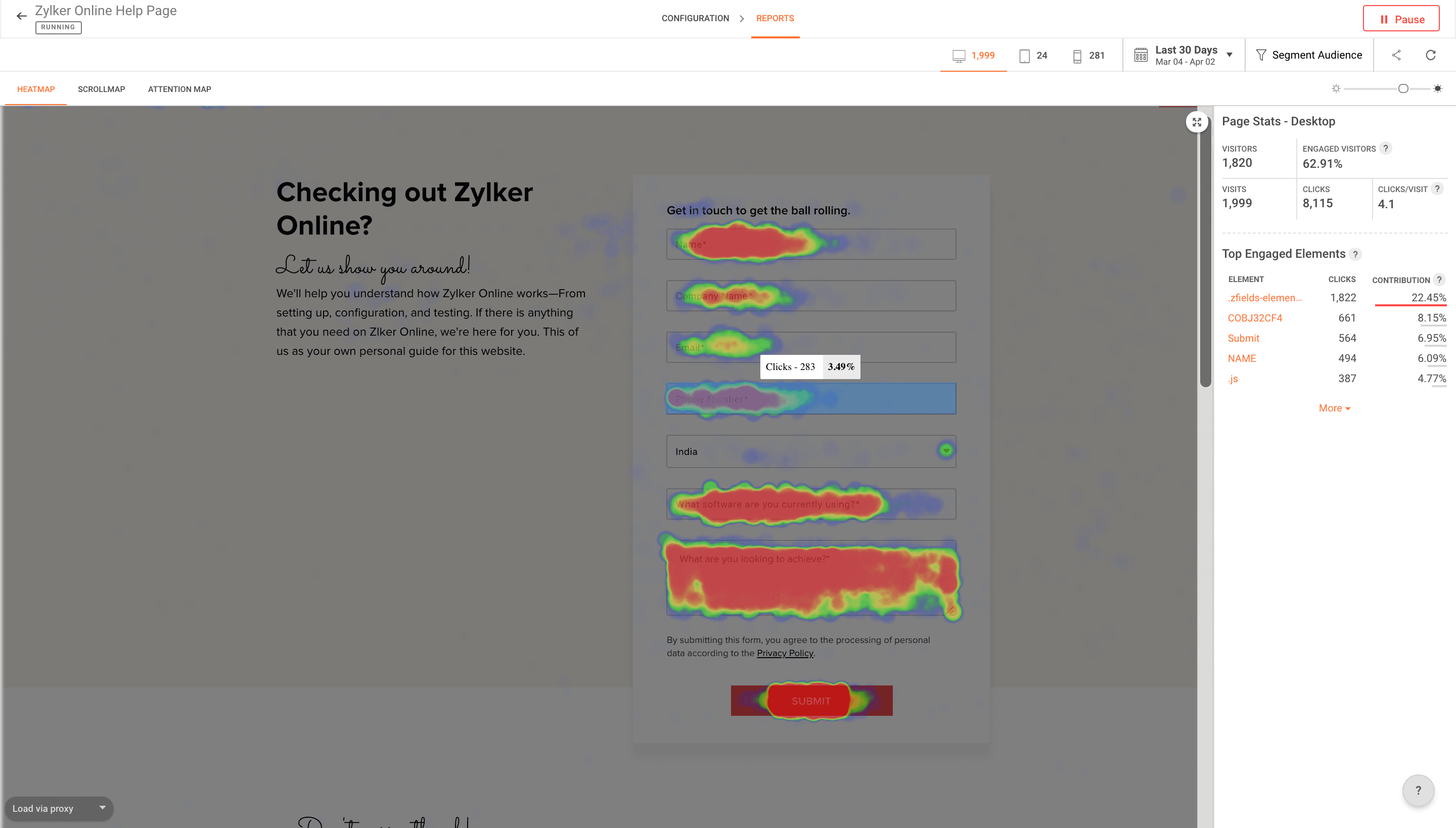
Heatmap Tools are visualization software that show where users click, scroll, or move their mouse on a webpage. They help businesses understand user behavior by highlighting popular areas and spots that get ignored.
What are the top 10 Marketing Software products for Heatmap Tools?
Newest Heatmap Tools Products

Heatmap Tools Core Features
- Click tracking
- Scroll tracking
- Mouse movement tracking
- Real-time heatmap updates
- Integration with analytics tools
Advantages of Heatmap Tools?
- Provides clear visual insights on user behavior
- Helps optimize page layouts for better engagement
- Easy to understand data presentation
- Supports A/B testing and conversions improvements
- Identifies usability issues quickly
Who is suitable to use Heatmap Tools?
Web designers, digital marketers, UX researchers, and product owners aiming to improve website usability and engagement.
How does Heatmap Tools work?
Heatmap tools collect data from user interactions on a website and aggregate it to display in a color-coded overlay. Hotter colors indicate more activity, while cooler colors show less. This helps pinpoint where users focus their attention and where they might get stuck.
FAQ about Heatmap Tools?
What exactly does a heatmap show?
It shows where users click, scroll, and move on your site with colors indicating activity levels.
Can heatmaps improve conversion rates?
Yes, by revealing what users interact with most, you can tweak designs for better conversions.
Are heatmap tools hard to install?
Most just require adding a small code snippet to your site, so it’s pretty simple.
Do heatmaps track individual users?
Generally, they aggregate data to protect privacy, so you see trends rather than individual behavior.
Can heatmaps be used on mobile sites?
Yep, most tools support mobile traffic tracking to help understand behavior on smartphones too.